Passkey phishing against Microsoft 365: when security upgrades become an attack surface
Passkeys are considered one of the most promising developments in authentication security. They replace passwords with cryptographic key pairs, are phishing-resistant and meet the requirements of modern zero-trust architectures. But as so often in IT security, a technology is only as secure as the process in which it is used.
Since May 2026, Microsoft administrators can officially launch so-called “passkey registration campaigns” in Microsoft Entra (formerly Azure AD) – actively prompting users to register a new passkey for their Microsoft 365 account. A legitimate feature with a sensible goal. And it is precisely this legitimacy that an attacker group immediately recognised – and abused – as bait.
This article analyses the attack methodology, the forensic challenges and the concrete countermeasures, based on current findings from Okta Threat Intelligence and Palo Alto Networks Unit 42.
The attacker: Pink / O-UNC-066
Okta tracks the threat group as O-UNC-066; it operates under the extortion label Pink. Pink is attributed to the decentralised threat network “The Com” (The Community) – a loose collective of cybercriminals known for aggressive social engineering, data theft and extortion.
Affected sectors so far include food and beverages, technology, healthcare, automotive, construction and aviation. On 31 May 2026, Pink set up its own leak site where stolen data sets are published as leverage.
The attack methodology in detail
Phase 1: vishing – the first contact
The attack begins with a phone call to the target company. An employee – often from a non-IT department – is contacted, supposedly by the internal IT helpdesk or Microsoft support. The pretext: a mandatory security update requires the registration of a new Microsoft Entra passkey.
This vishing (voice phishing) method is so effective because Microsoft itself has introduced legitimate passkey enrolment campaigns. Users who are already expecting such an internal request, or are familiar with it, can hardly tell the difference between a genuine IT contact and an attacker.
Phase 2: the phishing kit
The victim is directed to a phishing URL with the word “passkey” in the domain name. The website convincingly imitates the Microsoft Entra enrolment process – including the victim’s own corporate branding.
What sets this kit apart technically from classic AiTM (adversary-in-the-middle) proxies: it is an operator-controlled PHP panel. The attacker actively steers the process in real time – with a heartbeat mechanism, updated every second, that keeps them informed about the status of the phishing session.
The panel dynamically adapts the flow to the victim’s MFA method – whether TOTP (time-based one-time password), push notification with number matching or SMS code. Credentials and MFA responses are relayed to the operator in real time, who uses them immediately to sign in to the genuine Microsoft system.
Phase 3: the actual compromise
While the victim believes they are registering their own passkey, the attacker is in fact registering a passkey under their own control. The result: a complete, persistent account takeover – with no malware, no exploit and none of the classic indicators of attack.
As a psychological distraction, the phishing kit then shows the victim a fake BIP-39 recovery phrase – a concept from the cryptocurrency world that plays no role whatsoever in Microsoft Entra. The victim is asked to confirm one word from this phrase, which suggests trustworthiness and neutralises suspicion.
Phase 4: data exfiltration
Once the account has been taken over, Pink acts fast. The primary targets are SharePoint and OneDrive – documents, project data and internal communications stored there are exfiltrated immediately. The data ends up on Pink’s leak site, where it serves as leverage for ransom demands.
The forensic perspective
As a court-certified expert witness for IT security and computer forensics, one aspect of this attack concerns me above all: it leaves hardly any classic forensic traces.
The passkey is registered legitimately in Entra – from Microsoft’s point of view, a perfectly normal enrolment. There is no malware, no exploit and no anomalous network traffic from the victim’s device. The actual compromise takes place on the attacker’s side.
Forensic work therefore focuses on analysing the Microsoft Entra sign-in logs and audit logs – a core part of any Microsoft 365 forensic investigation:
- When was the new passkey registered?
- From which device and from which geographic region?
- Does this match the affected user’s normal behaviour?
- Is there a temporal correlation between the passkey registration and unusual access to SharePoint or OneDrive?
The time window in these cases is narrow: often only minutes pass between the first call and the data exfiltration. The later an incident is detected, the lower the chance of containing the outflow – and the more likely it is that the data has already landed on the leak site.
Technical countermeasures
1. Conditional access: Intune-managed devices only
The most effective technical countermeasure is a conditional access policy that only allows passkey registration from Intune-managed devices. This blocks the attack structurally: even if an employee falls for the vishing call and visits the phishing page, the attacker cannot register a passkey under their control, because their device is not known as a managed device.
2. Monitor Entra audit logs
Monitoring unexpected passkey registrations in the Entra audit logs is essential – especially registrations outside business hours, from unfamiliar countries or on accounts that have not used passkeys before.
3. Verification processes at the helpdesk
No legitimate IT support initiates unannounced passkey registrations by phone. Organisations should define clear internal processes: how does an employee verify that an incoming support call is genuine? By calling back on the official internal number – never on a number provided by the caller.
4. Employee awareness
The pattern “call + link + security update” must be addressed explicitly in security awareness training. The psychological lever deserves particular attention: attackers use time pressure and the supposed authority of “IT support” to switch off critical thinking.
Conclusion
Technically, passkeys are a significant step forward from passwords. They are phishing-resistant – but only if the registration process itself is secured. The Pink attacks show clearly that attackers do not target the technology, but the process around it.
For organisations using Microsoft 365 and Entra, the recommendation is clear: allow passkey registration only from Intune-managed devices, actively monitor audit logs and prepare employees specifically for vishing scenarios.
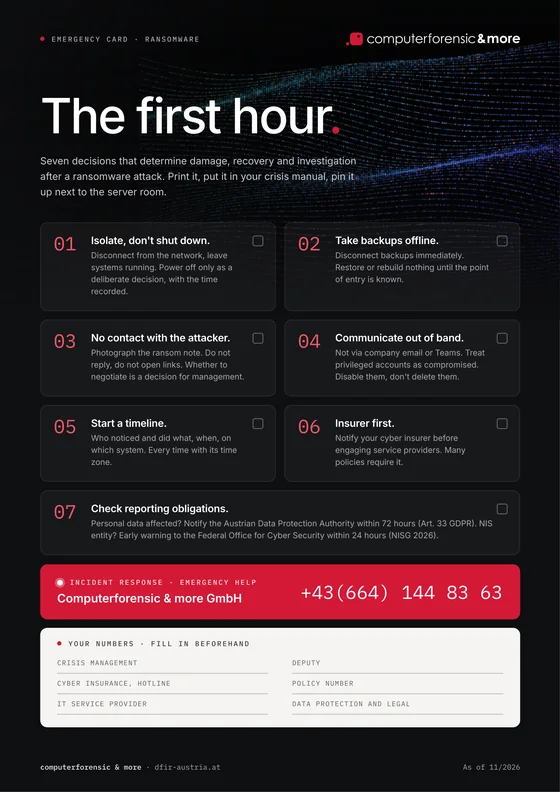
And when it happens, speed is everything. Forensic preservation of Entra logs, SharePoint activity logs and network logs must begin as soon as a suspicion arises. Our incident response team is available around the clock.
Sources: Okta Threat Intelligence (July 2026), Palo Alto Networks Unit 42, BleepingComputer